
This page contains information, scripts, and files that support STEM learning classes. For more information about the STEM class program, please contact Fred, AB1OC, at ab1oc@arrl.net.
Networking Tools Install
The following script installs useful networking tools, including traceroute and nslookup, on the classroom systems.
# You must be a root user
#	to run this script

# Update apt cache
apt update

# Install nslookup and other DNS utilities
apt install -y dnsutils

# Install traceroute
apt install tracerouteDocker Install
The following script installs Docker.
#
# Docker setup script - You must be a root user
#	to run this script

# echo commands
set -x

# Install Docker
curl -sSL https://get.docker.com | sh

# Enable Docker management by non-root users
sudo usermod -aG docker admin
newgrp docker

# Configure docker installation
docker --versionDocker Demonstration Container
You can run the nginx-hello demonstration container with the following command.
docker run --name nginx-hello --restart unless-stopped \
 -p 8080:80 -d nginxdemos/hello:latest
Portainer.io Install Script
The following script installs the Community Edition of Portainer.io in Docker.
#
# Installs portainer.io
#

set -x

# Create a volume to install Portainer settings
docker volume create portainer_data

# Install portainer.io
docker run -d -p 8000:8000 -p 9443:9443 \
    --name portainer --restart=always \
    -v /var/run/docker.sock:/var/run/docker.sock \
-v portainer_data:/data portainer/portainer-ce:ltsPortainer Agent Install Script
The following script installs a Portainer Agent on each remote Portainer host.
#
# Install Portainer agent on remote host. You will need
# to set up the remote host in the Environments section
# of your Portainer.io installation.
#
set -x

# Install Portainer agent on the remote host
docker run -d -p 9001:9001 \
    --name portainer_agent --restart=always \
    -v /var/run/docker.sock:/var/run/docker.sock \
-v /var/lib/docker/volumes:/var/lib/docker/volumes portainer/agent:ltsDocker Compose Stacks
This section contains YAML files for the Docker Compose Stacks used in our Information Tech and Wireless Data Networking Classes.
OpenSpeedTest Server
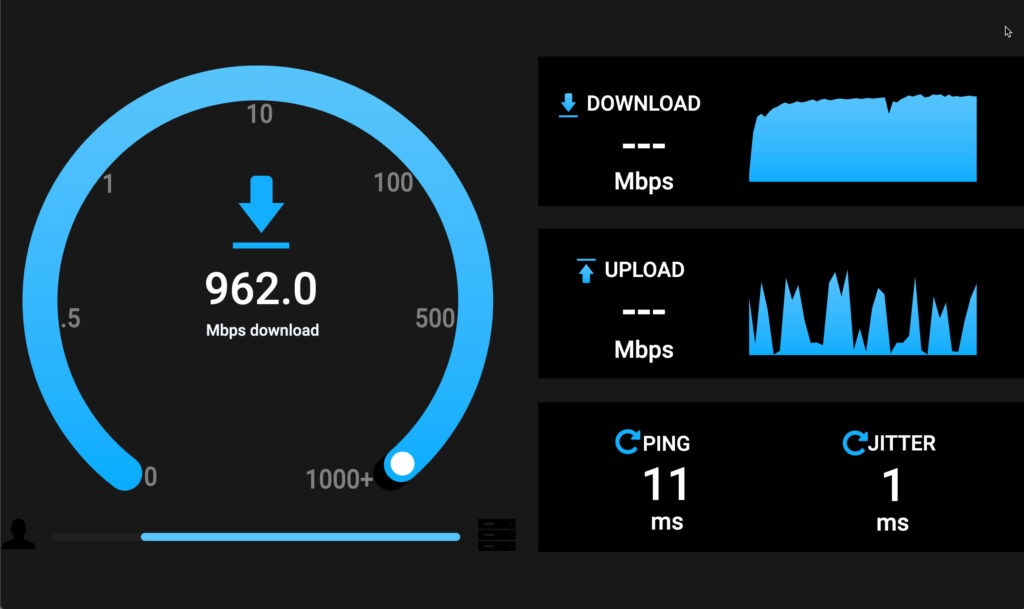
The following stack creates an Open SpeedTest Server container. This server should not be run behind a reverse proxy or using SSL, as these mechanisms will distort the accuracy of the test results. It should also be noted that the absence of these important security mechanisms makes this tool unsuitable for use outside a closed, internal network environment.
#
# Open Speedtest - http version without SSL
#       or a proxy. This ensures accurate results.
#

services:
    speedtest:
        container_name: OpenSpeedtest-Server
        image: openspeedtest/latest
        restart: unless-stopped
        security_opt:
            - no-new-privileges:true

        ports:
            - '3000:3000’
            - '3001:3001’