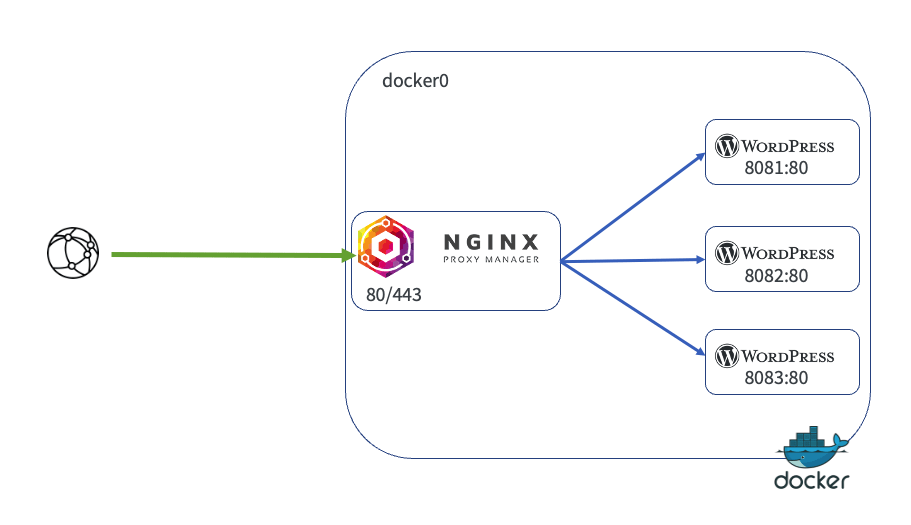
Many services and devices in our home lab have web interfaces. We secure many of them using Nginx Proxy Manager as a reverse proxy.
Traefik Reverse Proxy provides ingress control and SSL certificates for our docker services. While Traefik can be used for services outside Docker, configuring it is complex and requires restarting the Trafik container. As a result, we also run Nginx PM in a container to enable SSL certificates and simple reverse proxy configuration of our web-based services outside of Docker.
Nginx Proxy Manager Installation
Installing is easy. The following video explains the process, including using a DNS-01 challenge to obtain SSL certificates via Let’s Encrypt.
We configured a Docker macVLAN network for the Nginx PM container so that the proxy could determine the source IP addresses that access it. This enables IP filtering and other features.
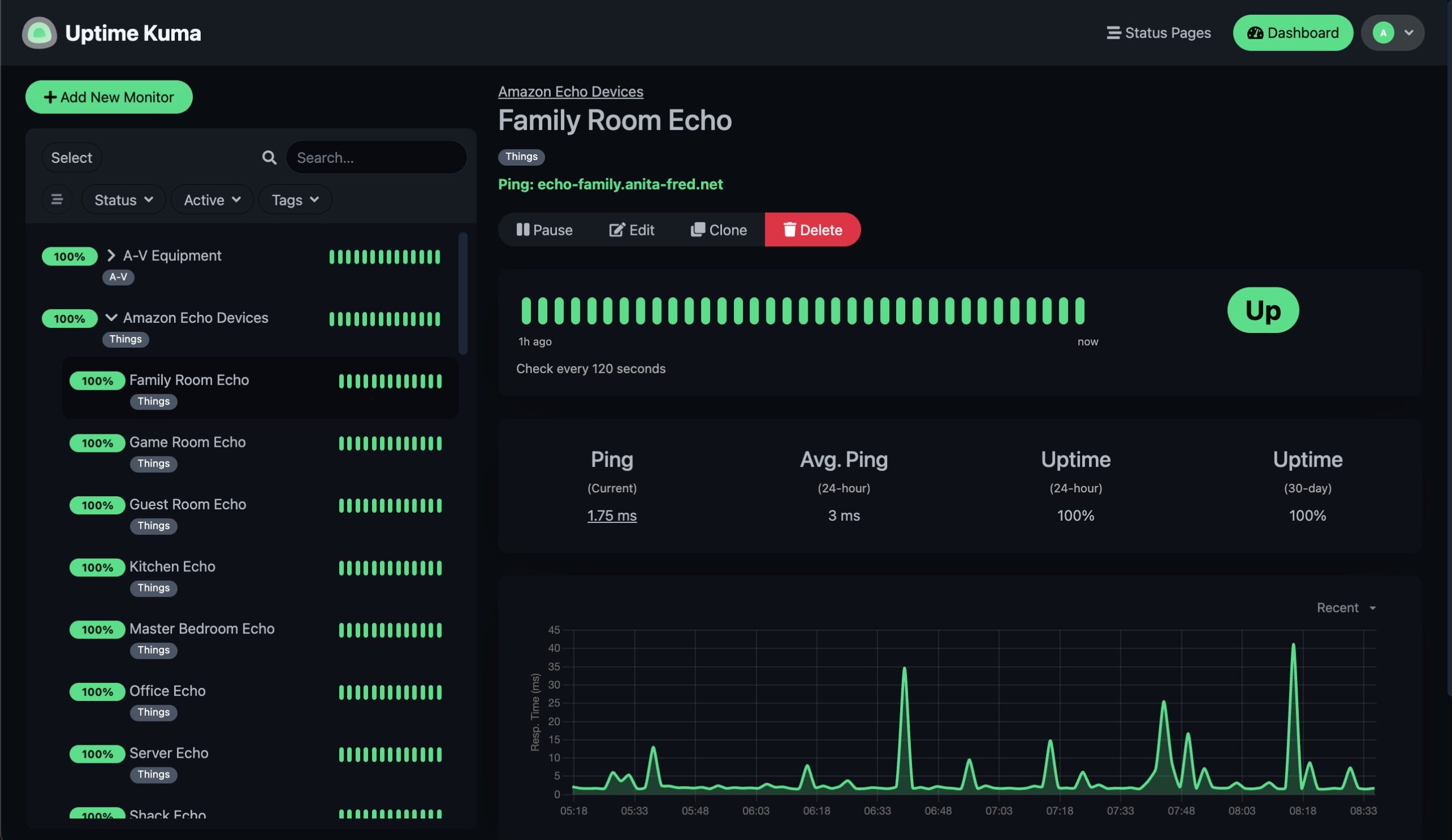
As our Home Lab and the associated network become more complex, monitoring the operational status of our services and equipment becomes essential. We use a tool called Uptime Kuma to monitor the operational status of our home lab. This tool can monitor various types of equipment and services, providing multiple mechanisms to notify us when a service is unavailable.
Uptime Kuma Docker Install
We deployed this tool as a Docker container in our Docker cluster. It is easy to install and configure. We used the following video to help with the installation –
Uptime Kuma can be used to monitor the health of Docker containers running on Local and Remote Docker Hosts.
The Local Docker Host can be monitored by binding /var/run/docker.sock to the Uptime Kuma container.
Some additional configuration is required on Remote Docker Hosts to expose Docker information.
The process for setting up both of the cases is covered here.
Performance and Backups
The tool’s database is sensitive to the volume store used to contain its database. For this reason, we bound Uptime Kuma’s present volume to storage inside the Docker Host VM instead of using our high-availability network store.
We also used the root crontab to back up the local VM configuration data to the Docker volume on our high-availability store as follows:
# Backup local VM configuration for uptime kuma
# to HA docker volume
*/15 * * * * /usr/bin/rsync -r --delete \
    /home/ubuntu/uptime-kuma/ \
    /home/ubuntu/docker/uptime-kuma/data
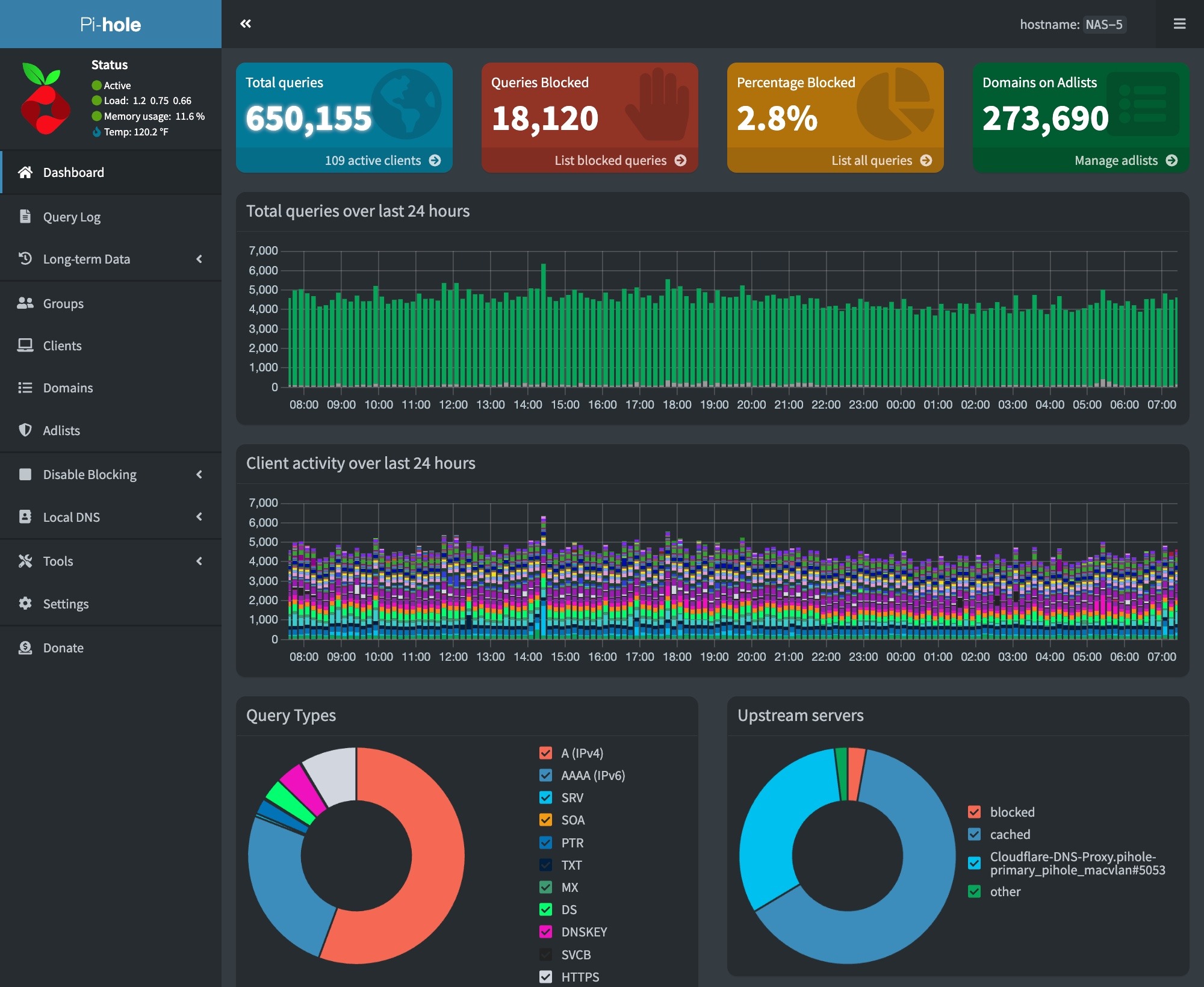
We are running three Pihole installations, which enable load balancing and high availability for our DNS services. We also use a Cloudflare encrypted tunnel to protect information in external DNS queries via the Internet.
Unubtu VMs include a DNS caching server on port 53, which prevents Pihole from being deployed. To fix this, run the commands at this link on the host Ubuntu VM before installing the Pihole and Cloudflare Tunnel containers.
Scheduled Block List Updates
We must update our block lists by doing a Gravity pull. We do this daily via a cron job. This can be configured on the RPi host using the following commands –
# Edit the user crontab
sudo crontab -u <user-id> -e

# The following to the user crontab
min hr * * * su ubuntu -c /usr/bin/docker exec pihole pihole -g | /usr/bin/mailx -s"RPi Docker - Gravity Pull" your-email@mydomain.com
We are running the Watchtower container on all our stand-alone docker hosts to keep our containers up to date. The following video explains how to install and configure Watchtower.
Install and Configure Watchtower on Docker
We have Watchtower configured to detect and notify us about updated container images. We install these manually using Protainer.